
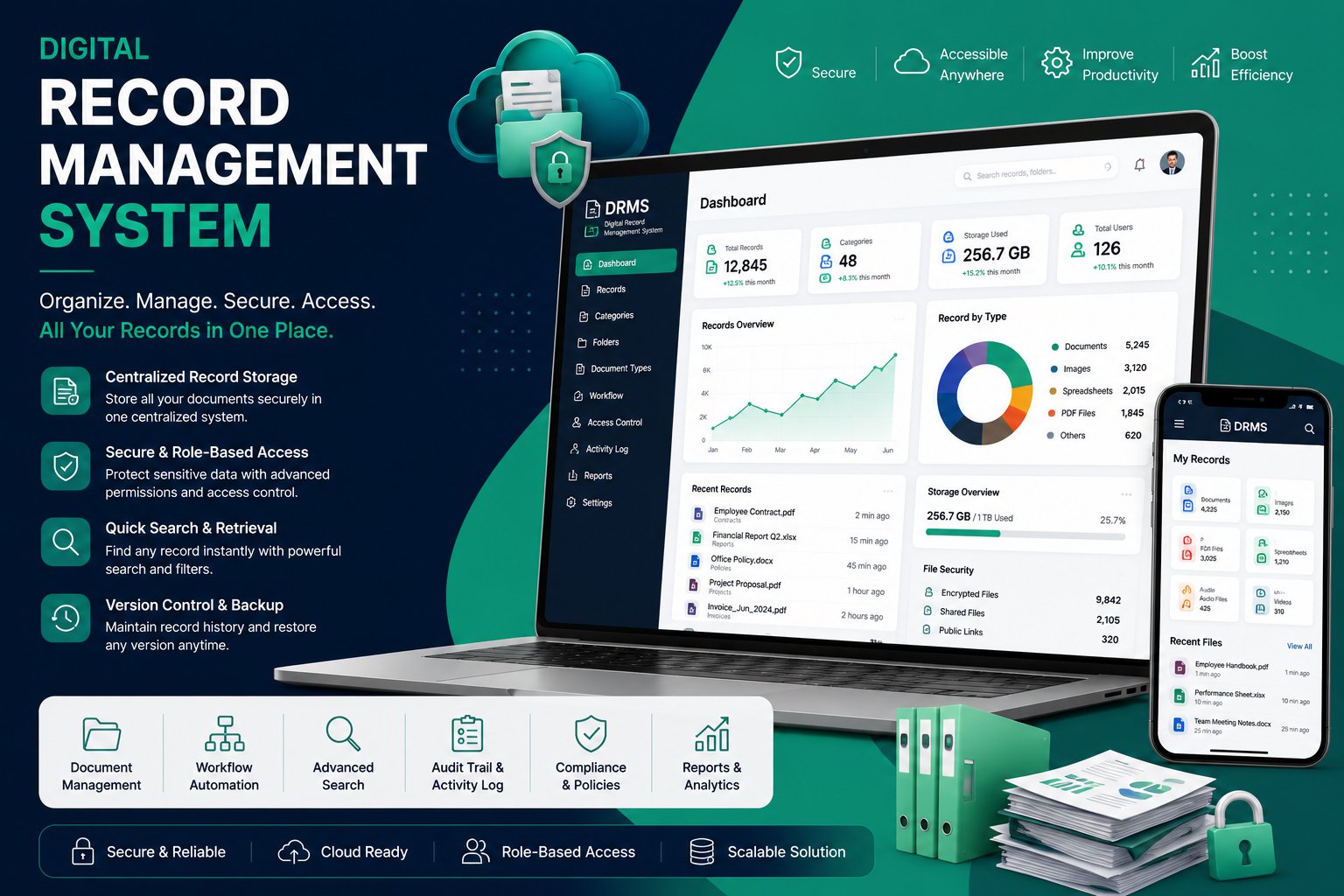
Looking for a ready-made solution?
👉 Digital Record Management System
https://smartwebinfotech.com/items/drms-saas-digital-record-management-system/1008
In today's digital-first business environment, organizations generate thousands of documents every year—from contracts and invoices to employee records, customer files, legal documents, and compliance reports. Managing these records manually or across multiple storage locations can lead to lost files, security risks, compliance issues, and reduced productivity.
A Digital Record Management System (DRMS) provides a centralized platform to securely store, organize, retrieve, and manage business records throughout their lifecycle.
Whether you're a government department, educational institution, healthcare provider, legal firm, construction company, or enterprise, implementing a Digital Record Management System can significantly improve efficiency, collaboration, and data security.
In this guide, we'll explore what a Digital Record Management System is, its key features, benefits, and how to choose the best solution for your organization.
What is a Digital Record Management System?
A Digital Record Management System (DRMS) is software that enables organizations to digitally manage documents and records from creation to archival or disposal.
Instead of relying on paper files or scattered folders, all records are stored securely in one centralized repository where authorized users can quickly search, access, update, and manage information.
A DRMS supports various document types, including:
- PDF Documents
- Microsoft Word Files
- Excel Spreadsheets
- Images
- CAD Drawings
- Contracts
- Employee Records
- Purchase Orders
- Project Files
- Legal Documents
- Medical Records
- Financial Documents
The goal is to improve accessibility while maintaining security, compliance, and version control.
Why Businesses Need a Digital Record Management System
As businesses grow, document volumes increase rapidly.
Without a proper management system, organizations often face challenges such as:
- Lost documents
- Duplicate files
- Slow document retrieval
- Poor collaboration
- Security risks
- Compliance violations
- Paper storage costs
- Manual approval processes
A Digital Record Management System helps overcome these challenges through automation and centralized record management.
Top Features of a Digital Record Management System
1. Centralized Document Repository
Store every business document in one secure location.
Benefits include:
- Organized folders
- Category management
- Department-wise storage
- Document tagging
- Easy navigation
Users can quickly locate important records without searching through multiple folders or filing cabinets.
2. Advanced Search & Document Retrieval
One of the biggest advantages of a DRMS is fast document retrieval.
Users can search by:
- Document Name
- Keywords
- Categories
- Tags
- Departments
- Date Range
- File Type
- Metadata
- Document Number
Powerful search capabilities save valuable time and improve productivity.
3. Role-Based Access Control
Not every employee should have access to every document.
A modern DRMS allows administrators to assign permissions based on user roles.
Examples include:
- View Only
- Upload
- Edit
- Delete
- Download
- Share
- Approve
This helps protect confidential business information.
4. Document Version Control
Multiple employees may edit the same document over time.
Version control ensures:
- Previous versions remain available
- Changes are tracked
- Accidental overwrites are prevented
- Rollback options are available
This feature is especially valuable for contracts, policies, and technical documentation.
5. Workflow Automation
Document approval processes can be automated using configurable workflows.
Examples include:
- Invoice Approval
- HR Document Approval
- Purchase Requests
- Vendor Documents
- Contract Review
- Leave Applications
Automated workflows reduce delays and improve accountability.
6. Document Sharing
Authorized users can securely share documents within departments or with external stakeholders.
Sharing options may include:
- Internal sharing
- Department sharing
- Secure download links
- Time-limited access
- Password-protected sharing
7. Audit Trail & Activity Logs
Every action performed on a document should be recorded.
Activity logs typically include:
- Uploaded by
- Modified by
- Download history
- Approval history
- Deleted records
- Login activity
- Document access history
Audit trails improve accountability and support compliance requirements.
8. OCR (Optical Character Recognition)
OCR technology converts scanned documents into searchable digital text.
Benefits include:
- Search scanned PDFs
- Search handwritten forms (where supported)
- Faster retrieval
- Improved archive management
OCR is particularly useful for organizations digitizing paper records.
9. Digital Archive Management
Older records don't need to be deleted immediately.
A Digital Record Management System helps:
- Archive completed files
- Define retention periods
- Restore archived records
- Reduce active storage clutter
10. Notifications & Reminders
Keep employees informed with automated notifications.
Examples include:
- Pending approvals
- Document expiry
- Contract renewal
- Policy updates
- Workflow completion
- Record review reminders
11. Reports & Analytics
A dashboard provides valuable insights into document usage.
Useful reports include:
- Total Documents
- Uploaded Documents
- Department-wise Records
- User Activity
- Storage Usage
- Pending Approvals
- Recently Modified Documents
- Archive Statistics
Reports help administrators monitor system performance and user activity.
12. Cloud & Remote Access
Modern organizations need access to documents from anywhere.
A cloud-enabled DRMS allows authorized users to:
- Access documents remotely
- Work from multiple office locations
- Support hybrid work environments
- Improve collaboration
Industries That Benefit from Digital Record Management
A Digital Record Management System can be used across many industries, including:
- Government Departments
- Construction Companies
- Healthcare Organizations
- Educational Institutions
- Manufacturing Companies
- Legal Firms
- Banks & Financial Institutions
- Real Estate Companies
- Insurance Companies
- NGOs
- Logistics Companies
- Corporate Enterprises
Benefits of Using a Digital Record Management System
Implementing a DRMS provides several advantages:
- Faster document retrieval
- Improved productivity
- Better collaboration
- Enhanced data security
- Reduced paperwork
- Lower storage costs
- Simplified compliance
- Version control
- Workflow automation
- Business continuity through secure digital records
How to Choose the Best Digital Record Management System
Before selecting software, evaluate the following:
- Easy-to-use interface
- Advanced search capabilities
- Role-based permissions
- Workflow automation
- OCR support
- Document version control
- Cloud compatibility
- Mobile responsiveness
- Backup & recovery
- Integration capabilities
- Reporting tools
- Technical support
Choosing software that aligns with your organization's workflows and future growth plans can reduce operational complexity.
Why Choose Smartweb Infotech Digital Record Management System?
Smartweb Infotech offers a powerful Digital Record Management System (DRMS) designed to help organizations digitize and manage records efficiently.
Key Features
- Centralized Document Repository
- Unlimited Categories
- OCR Ready
- Workflow Automation
- Version Control
- Role-Based Access
- Activity Logs
- Secure File Sharing
- Advanced Search
- Reports & Analytics
- Responsive Design
- Easy Customization
Whether you're managing thousands of business records or building a paperless office, our DRMS helps simplify document management while improving security and operational efficiency.
Frequently Asked Questions
What is a Digital Record Management System?
A Digital Record Management System is software used to securely store, organize, retrieve, manage, and archive digital documents and business records throughout their lifecycle.
What is the difference between a Document Management System and a Digital Record Management System?
A Document Management System focuses on creating, storing, and collaborating on documents, while a Digital Record Management System also manages record retention, compliance, audit trails, archival, and lifecycle management.
Which industries use Digital Record Management Systems?
Government agencies, healthcare providers, educational institutions, legal firms, construction companies, banks, insurance companies, manufacturers, and corporate enterprises commonly use DRMS solutions.
Can users access records remotely?
Yes. Cloud-enabled Digital Record Management Systems allow authorized users to securely access records from any location using internet-connected devices.
Is a Digital Record Management System secure?
Modern DRMS platforms include features such as role-based permissions, encryption, audit logs, secure authentication, and backup options to help protect sensitive information.
Why should businesses invest in a DRMS?
A Digital Record Management System helps organizations improve productivity, reduce paper usage, strengthen data security, simplify compliance, automate workflows, and retrieve documents quickly.
Final Thoughts
As organizations continue their digital transformation, efficient document management is no longer optional. A Digital Record Management System provides the tools needed to organize information, secure sensitive records, automate business processes, and support collaboration across teams.
Whether you're a growing business or a large enterprise, implementing a modern DRMS can help create a more efficient, secure, and paperless workplace while preparing your organization for future growth.
Comments (0)