Overview
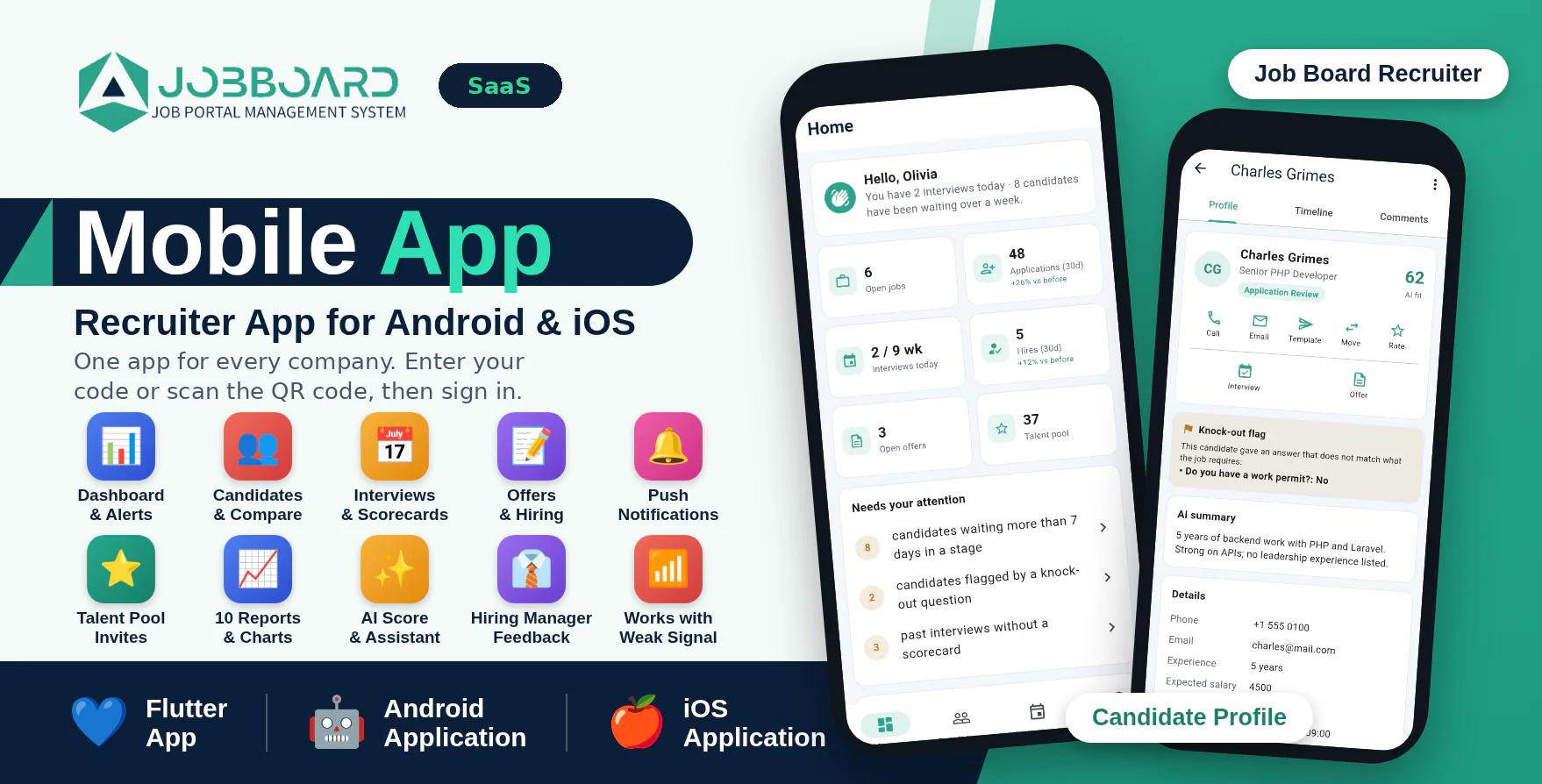
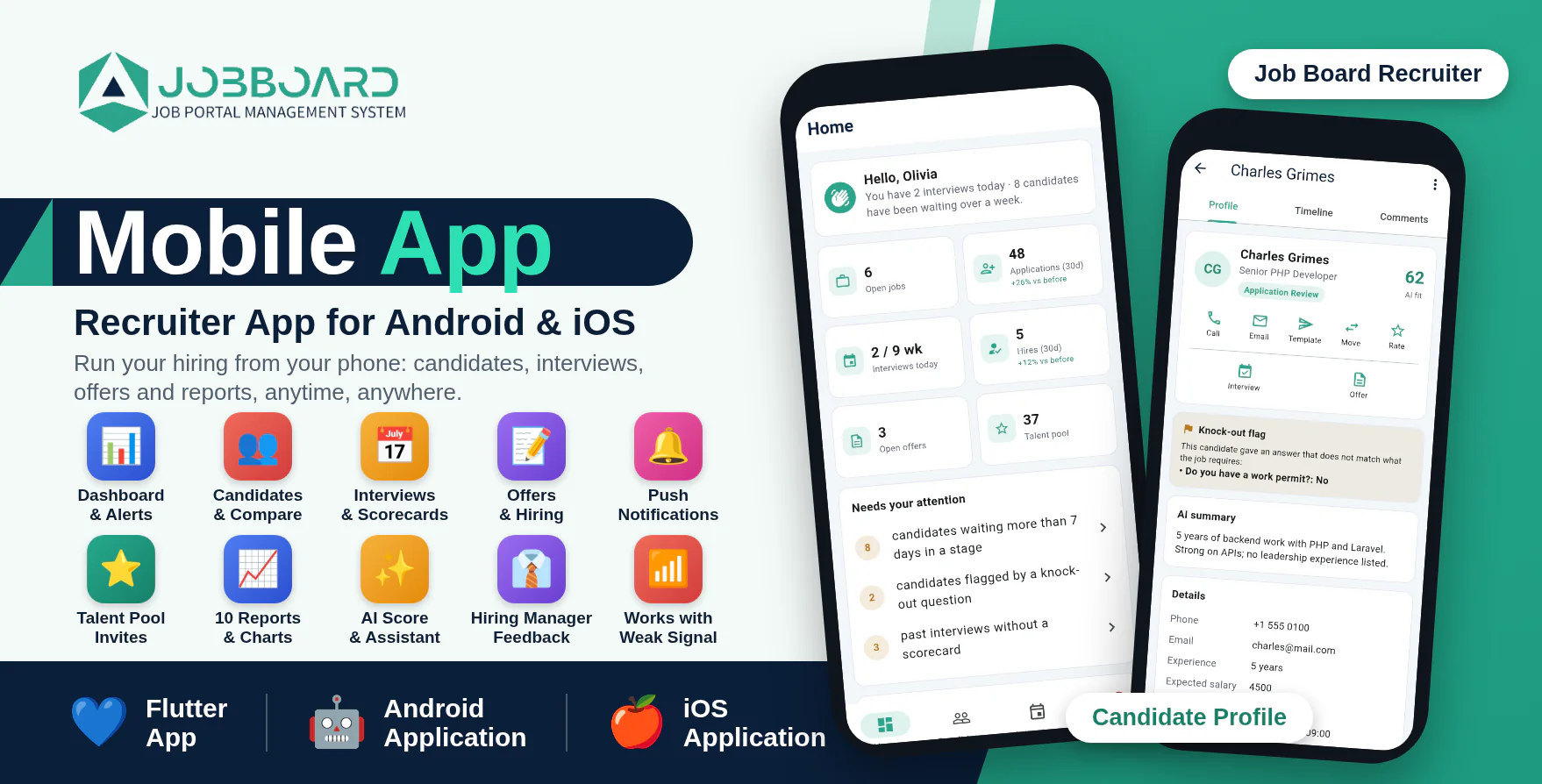
Job Board Recruiter is a modern Android and iOS application designed as the companion app for the Job Board SaaS - AI Powered Job Portal & Hiring Management System. It is built for the people who run hiring in every company on your platform: owner, HR, recruiters, interviewers and hiring managers.
From the phone a team sees what needs attention, searches and compares candidates, moves them through the pipeline, schedules interviews, fills in scorecards, sends offers, invites people from the talent pool and reads reports, anytime and anywhere. Hiring managers get a focused view of only their own jobs and send their feedback straight to the recruiters.
The application is developed using Flutter and Dart and communicates securely with your Job Board SaaS website through API integration. You set your platform address once before building and publish one app in the stores for every company. People enter their company code, scan the company's QR code or open its invite link; the app then shows that company's logo, name and colour and they sign in with their normal email and password. Everyone sees only their own company's data and only what their role allows.
Important Requirement
This mobile application requires Job Board SaaS v1.9 or newer installed on an HTTPS-enabled domain. The Job Board SaaS web application is required and is sold separately.
Demo Details
Admin Demo URL : Job Board SaaS Web/Admin URL
Android Documentation: Open Documentation
IOS Documentation: Open Documentation
Demo Application: Download Recruiter Demo Application
The demo app is built for : https://demo.smartwebinfotech.com/job-board-saas
Owner (company code: owner)
Email : owner@gmail.com
Password : 123456
Recruiter
Email : recruiter@gmail.com
Password : 123456
Hiring Manager
Email : hiringmanager@gmail.com
Password : 123456
Why Choose Job Board SaaS Mobile App?
- Android and iPhone in one package: two complete Flutter projects with the same code.
- One app for every company: publish it once; each company's team finds its company with a code, a QR code or an invite link and sees its own logo, name and colour.
- Run hiring from anywhere: dashboard, candidates, interviews, offers and reports in your pocket.
- You stay in control: as platform owner you set the store links, the lowest allowed app version and a maintenance message, and you can switch the app on or off for any company.
- Company data stays separate: every call is checked against the signed-in person's own company and role.
- Push notifications for new applicants, flagged candidates, accepted offers, hiring-manager feedback and interviews, through one Firebase project for the whole platform.
- Secure sign-in with two-factor support. The login token is kept in the phone's secure storage.
- Lists stay available with a weak signal.
- Modern, responsive Flutter interface that follows each company's colour.
- Tested code: unit and screen tests are included, and the API contract (OpenAPI) is documented.
- Step-by-step Android and iOS guides: build, signing, Firebase and store submission.
Who Is It For?
- Platform owners – give every company on your SaaS a mobile app under your own brand, published once in your own store accounts.
- Owners and HR teams – keep an eye on hiring and act on what needs attention without opening a laptop.
- Recruiters – add candidates met on the go, move them between stages, schedule interviews and send offers.
- Interviewers – see their own interviews, join the video call and submit the scorecard right after.
- Hiring managers – follow only their own jobs and tell the recruiters who to shortlist.
Main Features
Everyone
- Find your company with its company code, QR code or invite link; its logo, name and colour show before sign-in
- Sign in with the website email and password (two-factor code if enabled); the platform address is built into the app, so there is no server address to type
- Home: key numbers, “needs your attention”, summary, coming interviews, latest applicants and the pipeline
- Candidates: search names, skills and resume text; filters by stage, flagged and talent pool; compare 2 to 4 candidates side by side
- Candidate profile: AI fit and summary, knock-out flag, screening answers, timeline, comments, resume and documents
- Call, email or send a message template to a candidate in one tap; move stage, rate
- Interviews: upcoming by day, “mine” view, join the video link, scorecards and a reminder list of scorecards you still owe
- Notifications list with unread badge and push messages
- Saved lists so screens still open with a weak signal
Owner, Manager, HR & Recruiter
- Add a candidate by hand (phone call, event, referral)
- Schedule, reschedule and cancel interviews; the candidate is emailed with a calendar file and video link
- Write and send offer letters, send drafts from the offers list
- Bulk actions: reject, add to talent pool, archive
- Jobs: insights, pipeline, source tracking links to share, switch on and off
- Talent pool matches for a job with one-tap invitations
- Requisitions: approve or reject
- AI score for a candidate and the AI Assistant chat (when the company's plan includes AI and it has connected its own AI service)
- All ten reports with date ranges
- Onboarding checklists and the activity log
Hiring Manager
- Own dashboard with only the jobs assigned to them
- Read profiles, timelines and comments; compare candidates; join interviews and fill in scorecards
- Send feedback (shortlist, keep on hold or not a fit, with a reason) to the recruiters
Platform Owner (Super Admin)
- Mobile Apps page in the admin panel: platform app name, logo, icon and colour, Google Play and App Store links, lowest allowed app version and a maintenance message
- One Firebase project for push notifications for every company
- Switch the app on or off for any company; a company whose plan has ended is stopped automatically
- The list of companies with users, phones and last use
Company Owner
- Sets the company's app name, description, logo, icon and colour; they show in the app after sign-in
- The careers website shows a “Get the app” section with store buttons and a QR code once the platform has added its store links
- List of signed-in phones, with remove, and a push test message
- Permissions follow the website: change a role there and the app follows
- REST API documented with OpenAPI
What You Get
- Complete Flutter source code of the app for Android and for iPhone
- Unit and screen tests, store screenshots script and the API contract
- Android and iOS documentation with build, signing, Firebase and store steps
- Future updates
- Support through our ticket system
Requirements
- Job Board SaaS v1.9 or newer on an HTTPS domain
- Flutter SDK 3.13 or newer
- Android: Android Studio and a Google Play Console account to publish
- iPhone: a Mac with Xcode and an Apple Developer account to publish
- A Firebase project for push notifications (optional)
Need Assistance?
If you have any queries, please create a support ticket here, and our support team will respond as soon as possible.