Overview
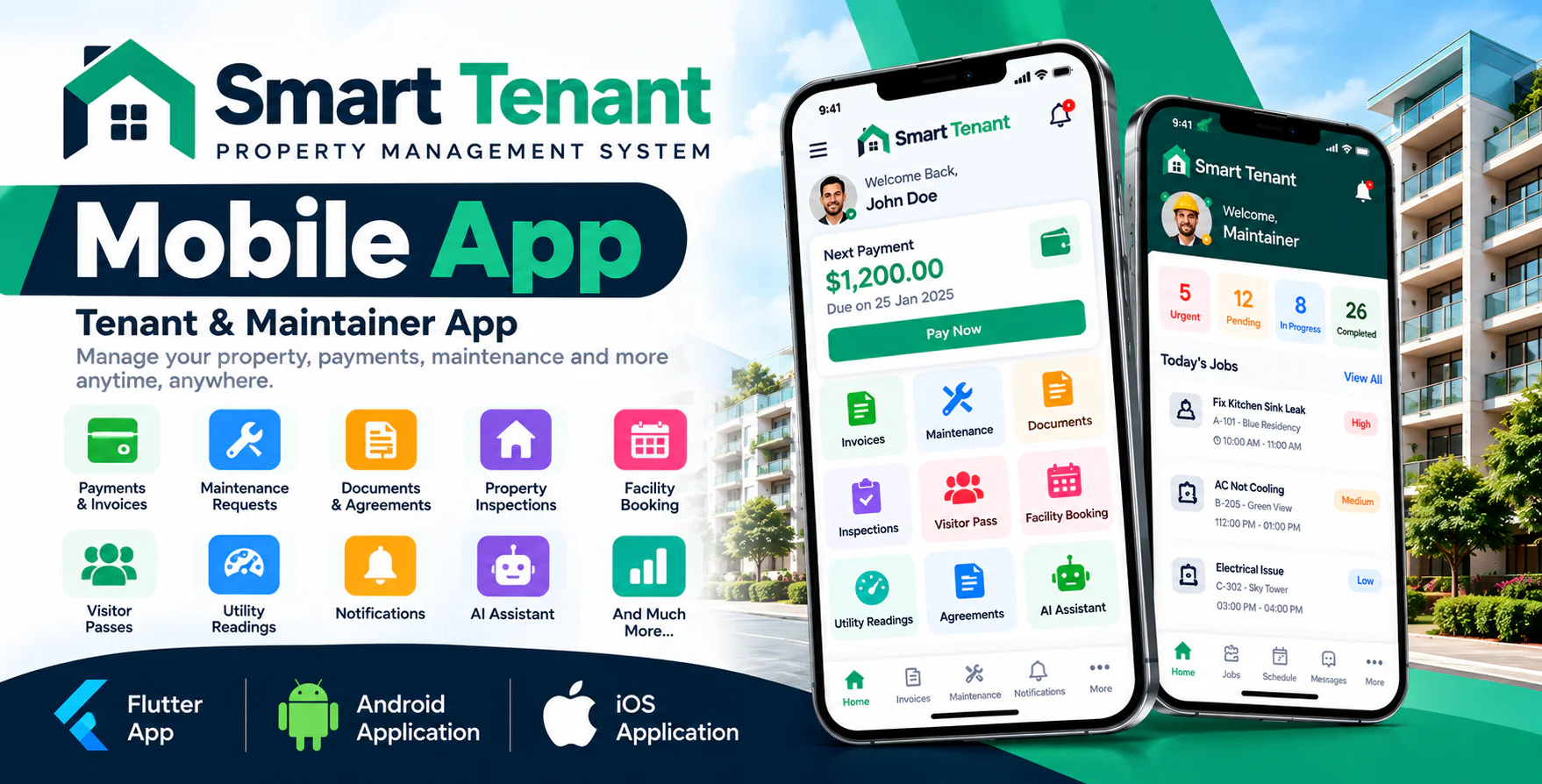
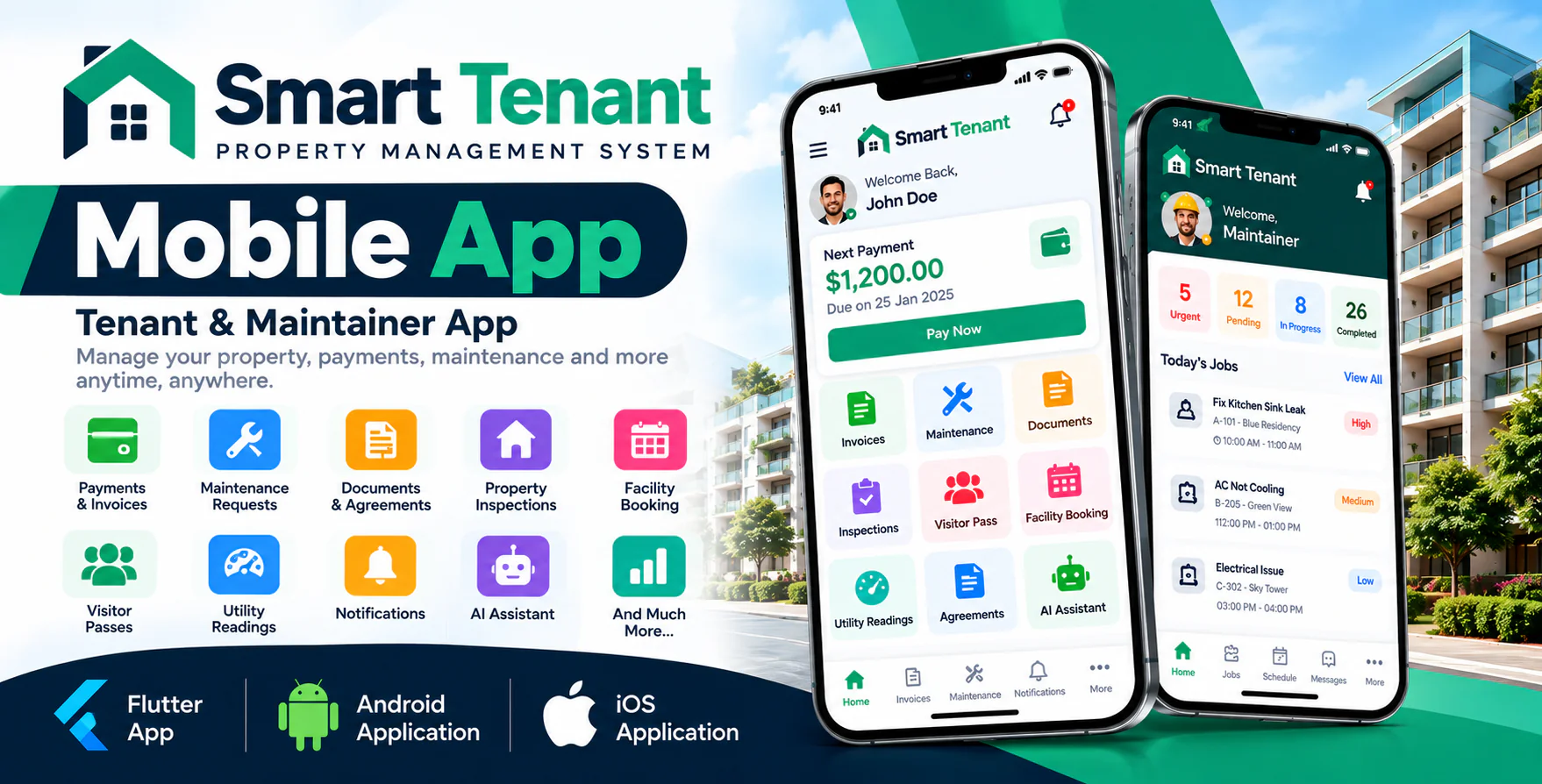
Smart Tenant Mobile App is a powerful and modern Android application designed as a companion mobile app for the Smart Tenant SaaS - Property Management System. It provides convenient mobile access to important property management features for tenants and maintainers.
With Smart Tenant Mobile App, tenants can manage payments, invoices, maintenance requests, documents, inspections, visitor passes, facility bookings, agreements and other property-related activities directly from their mobile devices. Maintainers can manage assigned maintenance jobs, schedules, working hours, expenses, job status and tenant communication.
The application is developed using Flutter and Dart and communicates securely with the Smart Tenant SaaS website through API integration.
Important Requirement
This mobile application requires Smart Tenant SaaS v2.7 or newer installed on an HTTPS-enabled domain. The Smart Tenant SaaS web application is required and is sold separately.
Demo Details
Demo Application: Download Demo Application
Android Documentation: Open Documentation
IOS Documentation: Open Documentation
Admin Demo URL : Smart Tenant SaaS Web/Admin URL
Tenant
Email : tenant@gmail.com
Password : 123456
Maintainer
Email : maintainer@gmail.com
Password : 123456
Why Choose Smart Tenant Mobile App?
- Access property management features from anywhere.
- Dedicated mobile experience for tenants and maintainers.
- Manage maintenance requests directly from mobile.
- View invoices and payment history.
- Receive real-time push notifications.
- Access property documents and agreements.
- Manage visitor passes and facility bookings.
- Maintainers can manage assigned maintenance jobs.
- Secure API-based communication with Smart Tenant SaaS.
- Modern and responsive Flutter-based mobile interface.
Tenant Features
Tenant Dashboard
The tenant dashboard provides quick access to important property, payment, lease and maintenance information.
- Payment summary.
- Next payment and amount due.
- Overdue payment information.
- Online payment access.
- Lease information.
- Rent information.
- Security deposit information.
- Open maintenance requests.
- Upcoming events.
- Polls.
- Expiring documents.
- Pending inspections.
- Parking information.
- Visitor pass.
- Facility booking.
Invoice & Payment Management
Tenants can easily view invoices, payment information and payment history directly from the mobile application.
- View open invoices.
- View paid invoices.
- View all invoices.
- View invoice details.
- View invoice line items.
- View payment details.
- Online payment.
- Stripe payment integration.
- Razorpay payment integration.
- Payment confirmation.
- Download payment receipts.
- Payment history.
Maintenance & Repair Requests
Tenants can report property maintenance and repair issues directly from their smartphones.
- Create maintenance requests.
- Select maintenance type.
- Add problem description.
- Upload maintenance photos.
- Capture photos using the device camera.
- Select preferred visit date.
- Select preferred time slot.
- Track maintenance status.
- View assigned maintainer.
- Receive maintainer status notifications.
- Communicate with maintainer.
- Communicate with property management.
- Rate completed maintenance jobs.
AI Assistant
The mobile application provides access to the AI Assistant configured in the Smart Tenant SaaS system.
- Ask property-related questions.
- Get assistance through AI.
- Get help with common property-related queries.
- Create maintenance requests through supported AI workflows.
Documents Management
Tenants can access important property-related documents directly from the mobile application.
- View property documents.
- View uploaded documents.
- View document categories.
- View ID documents.
- View insurance documents.
- Check document expiry dates.
- Identify expired documents.
- Identify documents expiring soon.
- Open documents from the mobile application.
Property Inspection
Tenants can view and manage property inspection information from their mobile devices.
- Move-in inspection.
- Move-out inspection.
- Routine inspection.
- View inspection details.
- View room-by-room inspection information.
- View property condition.
- View inspection notes.
- View inspection photos.
- Digital signature support.
Utility Readings
Tenants can view utility and meter reading information from the application.
- Previous meter reading.
- Current meter reading.
- Utility usage information.
- Utility rate information.
- Calculated utility amount.
Notice Board
Tenants can stay informed about important property announcements and management notices.
- View property notices.
- View management announcements.
- View important property updates.
Facility Booking
Tenants can view and book available shared facilities directly from the mobile application.
- View available facilities.
- View available time slots.
- Create facility bookings.
- View booking details.
- View booking approval status.
- Cancel bookings.
Visitor Pass
Tenants can create and manage visitor passes directly from their smartphones.
- Create visitor pass.
- Add visitor name.
- Add visitor phone number.
- Select visit date.
- Add visit purpose.
- Add vehicle information.
- Generate visitor pass.
- Share visitor pass.
- Cancel visitor pass.
Polls
Property managers can engage tenants through polls and collect tenant responses directly through the application.
- View available polls.
- Participate in polls.
- Submit votes.
- View poll results when enabled.
Agreement Management
Tenants can access their lease and agreement information from the mobile application.
- View agreement information.
- Open agreement PDF.
- Review lease information.
- Digital agreement signature.
- Sign agreements using touch/finger signature.
Maintainer Features
Maintainer Dashboard
Maintainers can manage their daily maintenance activities and assigned jobs from a dedicated mobile dashboard.
- View urgent jobs.
- View pending jobs.
- View in-progress jobs.
- View completed jobs.
- View completed jobs for the current month.
- View working hours.
- View today's jobs.
- View today's visits.
- View monthly earnings.
- View work queue.
- View preventive maintenance tasks.
- View recent ratings.
- View tenant feedback.
Maintenance Schedule
Maintainers can manage their upcoming maintenance work and scheduled visits directly from the mobile application.
- Today's maintenance jobs.
- Tomorrow's maintenance jobs.
- Upcoming maintenance schedule.
- Repair visits.
- Tenant preferred visit date.
- Tenant preferred time slot.
- Preventive maintenance tasks.
- Unscheduled maintenance jobs.
Job Management
Maintainers can manage maintenance jobs from assignment through completion.
- View assigned jobs.
- View pending jobs.
- View in-progress jobs.
- View completed jobs.
- View maintenance details.
- View problem description.
- View maintenance photos.
- View job priority.
- View tenant information.
- View property address.
- Open location using maps.
- Call tenant.
- View previous repairs.
- Message tenant.
- Message property office.
Job Status & Completion
Maintainers can update job progress and complete maintenance work directly from their mobile device.
- Mark job as "On the Way".
- Update maintenance job status.
- Add maintenance cost.
- Add working hours.
- Add completion date.
- Upload after-service photos.
- Upload invoice or supporting documents.
- Complete maintenance job.
- Notify tenant after completion.
Maintainer Profile
Maintainers can view their professional information and performance details from the mobile application.
- View profile information.
- View trade information.
- View properties covered.
- View completed jobs.
- View total working hours.
- View total billed amount.
- View average rating.
- View membership information.
- Manage notification settings.
Push Notifications
Smart Tenant Mobile App supports Firebase Cloud Messaging for real-time push notifications and important property management updates.
- Payment reminders.
- Maintenance assignment notifications.
- Maintenance status updates.
- Maintainer "On the Way" notifications.
- Maintenance completion notifications.
- Lease reminders.
- Document expiry reminders.
- Property announcements.
- System notifications.
- Notification inbox.
- Unread notification count.
Dynamic Company Branding
Smart Tenant Mobile App supports dynamic company branding for organizations using the Smart Tenant SaaS platform.
- Dynamic company name.
- Dynamic company logo.
- Application logo.
- Company theme colors.
- Organization-based branding.
- Multiple company support.
Authentication & Security
The application follows the authentication and permission system of the Smart Tenant SaaS platform.
- Email and password login.
- Remember me.
- Forgot password.
- Two-factor authentication support.
- Verification code.
- Secure session/token storage.
- HTTPS API communication.
- Permission-based access.
- Secure API integration.
Multi-Company Support
Smart Tenant Mobile App is designed to work with multiple organizations using the Smart Tenant SaaS platform.
- Multiple companies can use the same mobile application.
- Company-specific branding.
- Company-specific property data.
- Company-specific tenant data.
- Company-specific maintenance data.
- Company-specific currency settings.
- Company-specific date format.
Additional Features
- Flutter-based Android application.
- Modern and responsive mobile UI.
- Firebase push notifications.
- Dynamic company branding.
- Secure API integration.
- Camera support.
- Gallery/photo upload.
- PDF document support.
- PDF receipt download.
- Digital signature support.
- Phone call integration.
- Map and navigation integration.
- Dark mode support.
- Large font support.
- Session persistence.
- Multiple currency support.
- Multiple date format support.
Technology
- Framework: Flutter
- Programming Language: Dart
- Platform: Android & IOS
- Backend: Smart Tenant SaaS API
- Push Notification: Firebase Cloud Messaging
- Authentication: Secure API Authentication
- Payment: Stripe and Razorpay through Smart Tenant SaaS
Requirements
- Smart Tenant SaaS v2.7 or newer.
- Smart Tenant SaaS installed on your server.
- HTTPS / SSL-enabled domain.
- Working Smart Tenant API.
- Firebase project for push notifications.
- Flutter development environment.
- Android Studio.
- Android SDK.
- JDK 17 or newer.
Perfect For
- Property Management Companies.
- Real Estate Companies.
- Rental Property Managers.
- Apartment Management Companies.
- Residential Property Management.
- Commercial Property Management.
- Landlords and Property Owners.
- Facility Management Companies.
- Property Maintenance Teams.
- Rental Management Businesses.
What You Get
- Flutter source code.
- Dart source code.
- Android project.
- Application assets.
- App icon assets.
- Firebase notification configuration.
- API integration.
- Installation documentation.
- Configuration documentation.
- Android build documentation.
- Google Play publishing guide.
Important Note
Smart Tenant Mobile App is a companion mobile application for Smart Tenant SaaS - Property Management System.
The mobile application requires Smart Tenant SaaS v2.7 or newer and communicates with the Smart Tenant SaaS website through API integration.
The main Smart Tenant SaaS web application handles the core property management operations, while this mobile application provides convenient mobile access for Tenants and Maintainers.
Owners, property managers and super administrators continue to use the Smart Tenant SaaS web application.
Smart Tenant SaaS
Smart Tenant Mobile App works together with the Smart Tenant SaaS - Property Management System to provide a complete property management solution for property owners, managers, tenants and maintenance teams.
Demo URL : Smart Tenant SaaS Demo URL
Before Purchase
Please read the complete item description and requirements before purchasing. Smart Tenant Mobile App is a companion application for the Smart Tenant SaaS Property Management System and requires Smart Tenant SaaS v2.7 or newer.
The purchase includes the mobile application source code and the features described in this item. Third-party accounts, subscriptions, platform fees, hosting, domain, SSL, payment gateway charges and other external service costs are not included.
Existing application bugs are covered under support. New features, customizations, major changes, deployment services and third-party account setup may require an additional fee.