Overview
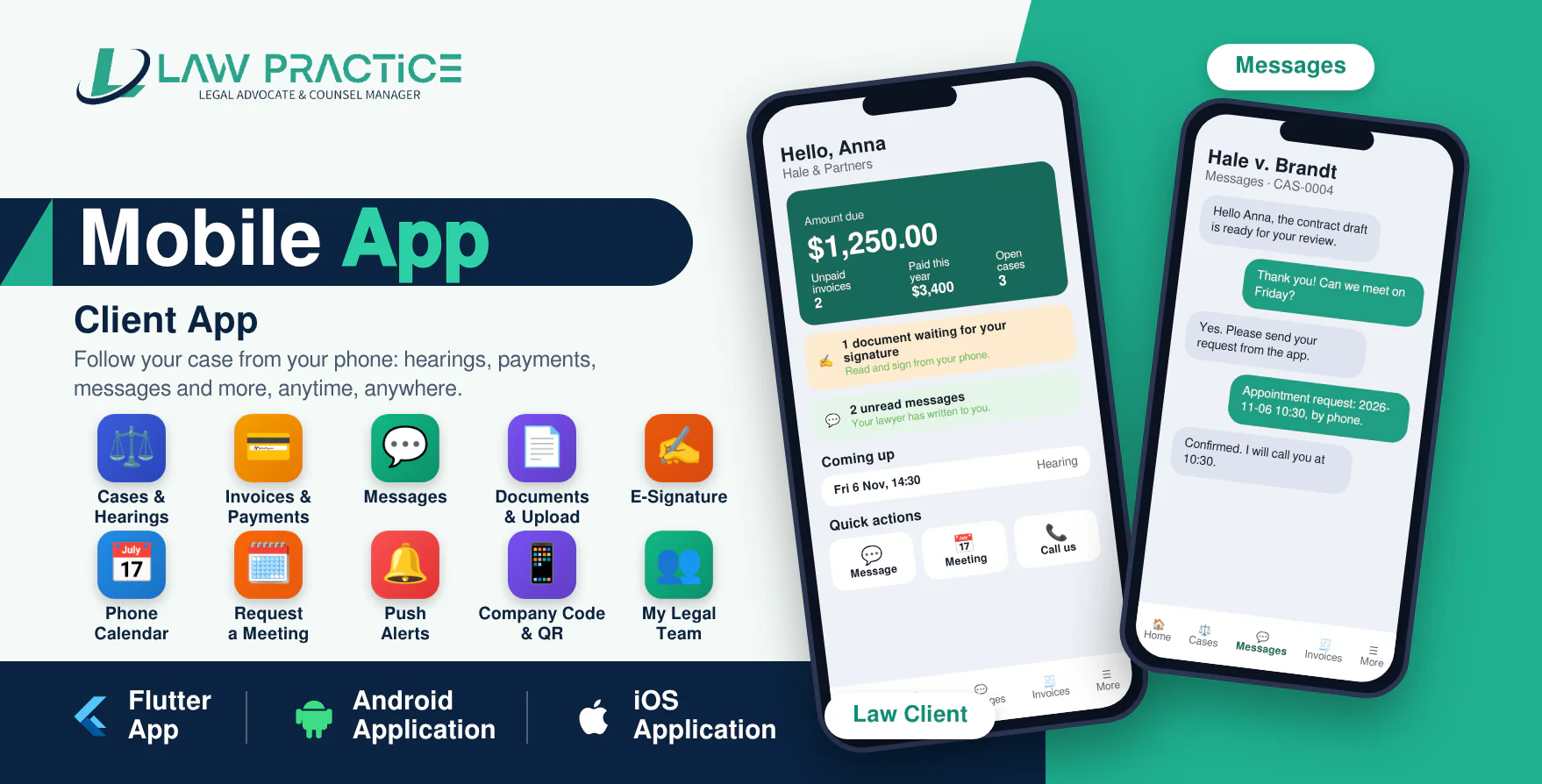
The Law Client app is a modern Android and iOS application designed as the companion app for the Law Practice SaaS - Legal Advocate & Counsel Manager. It gives the clients of every law firm on your platform a simple way to follow their matter from their phone.
With Law Client, clients see their cases and hearings, read and pay invoices, message their lawyer, send documents, sign documents with their finger and keep their hearings in their own phone calendar.
The application is developed using Flutter and Dart and communicates securely with the Law Practice SaaS website through API integration. One published build serves every firm: clients enter the firm's company code (or scan its QR code) and the app shows that firm's own logo, name and colour.
Important Requirement
This mobile application requires Law Practice SaaS v1.7 or newer installed on an HTTPS-enabled domain. The Law Practice SaaS web application is required and is sold separately.
Demo Details
Admin Demo URL : Law Practice SaaS Web/Admin URL
Android Documentation: Open Documentation
IOS Documentation: Open Documentation
Client (Law Client)
Company code : the code shown on the demo owner's Mobile App page
Email : client@gmail.com
Password : 123456
Why Choose Law Practice Mobile App?
- Android and iPhone in one package: the same app, built twice.
- Follow every case, hearing, invoice, document and message from anywhere.
- One app for every firm: company code, QR code or invite link, with the firm's own logo and colour.
- The firm chooses which sections its clients see.
- Real-time push notifications for messages, hearings, invoices and documents to sign.
- Fingerprint / face lock and two-factor sign-in.
- Secure API-based communication with Law Practice SaaS; clients only ever see their own records.
- Modern and responsive Flutter-based mobile interface.
- Unit tests included.
Client Features (Law Client)
Home
The state of the client's matters at a glance.
- Amount due, paid this year and the next payment.
- Documents waiting for a signature and unread messages.
- Next hearings and hearings this week.
- Cases by status, recent activity and new documents.
- "My legal team" with one-tap call and email.
- Notices from the firm and quick actions: message, request a meeting, call, email.
Cases & Hearings
Everything about a matter in one place.
- Search the client's cases.
- Case facts, legal team, evidence and a history of hearings, documents, invoices and payments.
- Hearing calendar with upcoming and past hearings.
- "Add to my calendar": hearings appear in the phone's own calendar and update by themselves.
- Request a meeting in person, by phone or by video; it goes straight into the case conversation.
- Internal time entries and expenses are never shown to clients.
Messages
One conversation per case with the firm.
- Plain, private messages between the client, the lawyer and the case team.
- Unread counts and an inbox of everything the firm sent.
Invoices & Payments
Clear money matters.
- Invoices with lines, payments and balance due.
- Pay online in the browser, already signed in, through the firm's own payment gateways.
- Payment history, including bank transfers waiting for the firm to confirm.
Documents & Signatures
Send and sign without paper.
- Open every document filed on the client's cases.
- Add a picture of a document, or a PDF, Word or text file up to 10 MB.
- Read a document and sign it with a finger, or decline; the firm gets a certificate with the date, device and a fingerprint of the exact file.
Company Code, Branding & Security
- Sign in with the company code (typed, scanned from a QR code or opened from an invite link).
- The firm's logo, name, colour and welcome text are shown before sign-in.
- The firm's owner sets the look and the sections clients see; the super admin switches the app on or off per firm.
- Two-factor sign-in, fingerprint / face lock and a secure token in the phone's storage.
- The server can require a minimum app version and show a maintenance message.
Admin Controls on the Website
- Super admin: store links, minimum version, maintenance message and an On / Off switch for every firm.
- Owner: company code, QR code, app name, logo, colour, welcome text, support contacts and visible sections.
- Client page "Get the App" and a public "Client app" page on each firm's website with the code and QR code.
Requirements
- Law Practice SaaS v1.7 or newer on an HTTPS domain.
- Flutter SDK (stable) and Android Studio (Android) or a Mac with Xcode (iPhone).
- Google Play developer account and / or Apple Developer Program membership to publish.
- Optional: a Firebase project for push notifications.
What You Get
- Flutter source code for Android and iPhone (two projects with the same screens).
- Step-by-step documentation for Android and iPhone: tools, setup, signing, build and store publishing.
- API description (client-api.md) listing every call the app makes.
- Future updates.
- Support through our ticket system.
Need Assistance?
If you have any queries, please create a support ticket here, and our support team will respond as soon as possible.