Overview
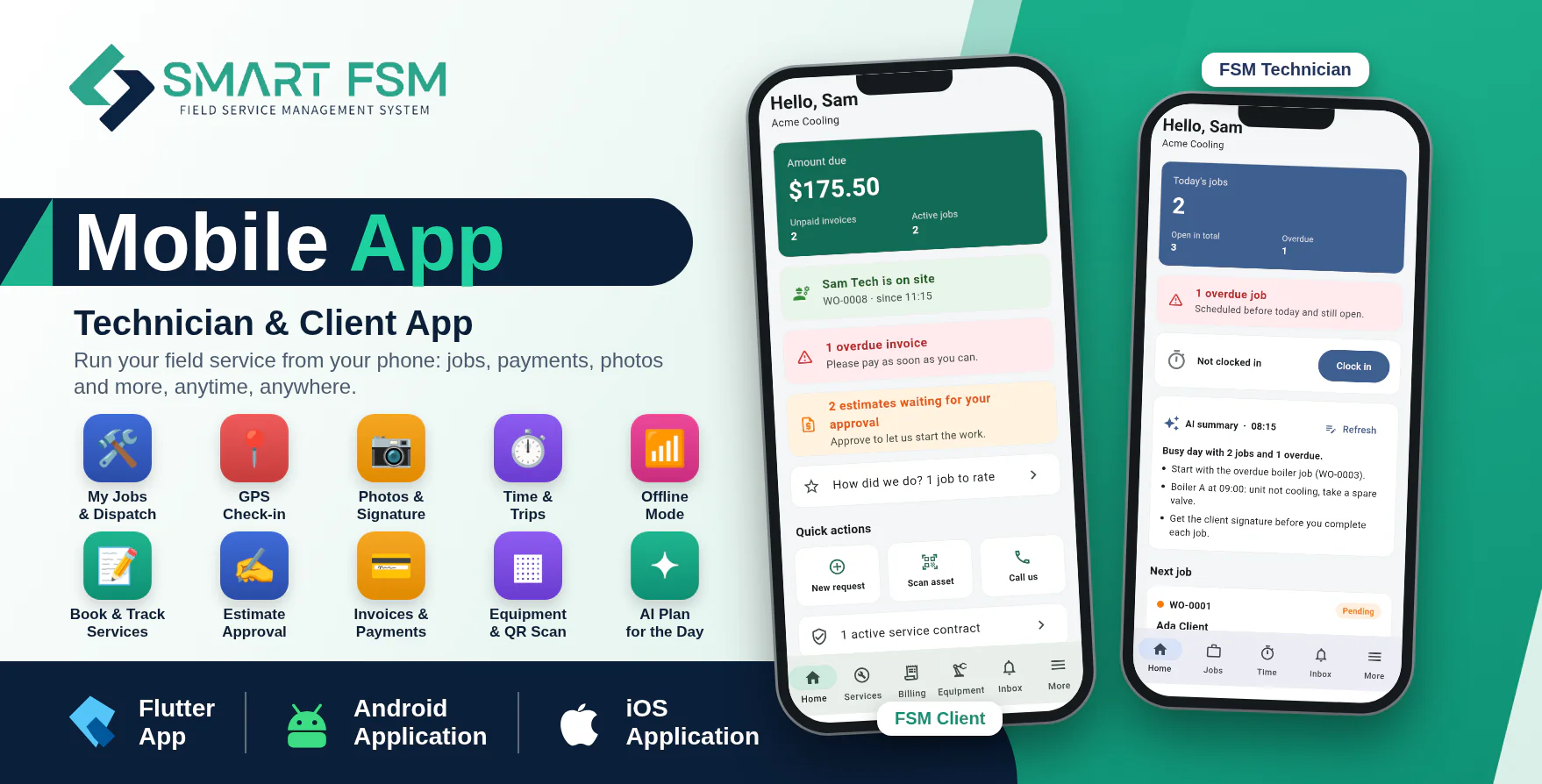
Smart FSM Mobile Apps are two modern Android and iOS applications designed as companion apps for the Smart FSM SaaS - Field Service Management System: FSM Technician for your field team and FSM Client for your customers.
With FSM Technician, field staff see today's jobs, check in with GPS, take before and after photos, collect the client signature, track time and trips, and complete jobs from their phone, even without internet. With FSM Client, customers request service, follow the job, approve estimates with a signature, pay invoices online, rate the visit and see their equipment history.
The applications are developed using Flutter and Dart and communicate securely with the Smart FSM SaaS website through API integration. One published build serves every company: staff and customers enter the company code (or scan its QR code) and the app shows that company's logo and colour.
Important Requirement
These mobile applications require Smart FSM SaaS v1.8 or newer installed on an HTTPS-enabled domain. The Smart FSM SaaS web application is required and is sold separately.
Demo Details
Admin Demo URL : Smart FSM SaaS Web/Admin URL
Android Documentation: Open Documentation
IOS Documentation: Open Documentation
Technician Demo Application: Download Technician Demo Application
Employee (FSM Technician)
Email : employee@gmail.com
Password : 123456
Client Demo Application: Download Client Demo Application
Client (FSM Client)
Email : client@gmail.com
Password : 123456
Why Choose Smart FSM Mobile Apps?
- Two apps in one package: FSM Technician and FSM Client, each for Android and iPhone.
- Access field service features from anywhere.
- Works offline: jobs are cached and changes upload automatically when the connection returns.
- One app for every company: company code, QR code or invite link, with the company's own logo and colour.
- Real-time push notifications for jobs, estimates, invoices and visits.
- Fingerprint / face lock and two-factor sign-in.
- Secure API-based communication with Smart FSM SaaS.
- Modern and responsive Flutter-based mobile interface.
- Tested code: unit and screen tests included.
Technician Features (FSM Technician)
Home & Jobs
Technicians see their day at a glance and open any job in one tap.
- Today's jobs, next job and overdue alert.
- Shift clock and quick actions.
- Jobs in Today, Open and Done tabs with search.
- Calendar view of jobs.
- QR scan of asset labels to open the equipment.
- AI plan for the day (when AI is enabled for the company).
Job Details & Completion
Everything needed on site, in one screen.
- Client and site details with call, email and navigate buttons.
- GPS check-in and check-out.
- Checklist and parts used (with stock deduction).
- Service history of the equipment.
- Before and after photos.
- Notes with voice dictation and AI tidy-up.
- AI photo check.
- Client signature on screen.
- Put on hold, start and complete job.
- Company rules enforced: signature required, locked statuses, automatic invoice.
Time, Trips & Leave
Timesheets without paperwork.
- Clock in and out with a running timer.
- Shift history.
- Trips with mileage.
- Time-off requests.
Offline Mode
The app keeps working with a weak or missing connection.
- Jobs and job details cached on the phone.
- Check-ins, photos, signatures, notes, status changes, parts and clock in/out saved on the phone.
- Automatic upload in the right order when the connection returns.
- Waiting-to-upload list under More.
Inbox & Notifications
Never miss a change.
- In-app inbox.
- Push notifications for new and changed jobs that open the right job.
Client Features (FSM Client)
Home
Customers see what needs their attention.
- Amount due and overdue invoices.
- "Technician is on site" status.
- Estimates waiting for approval.
- Next visit and jobs to rate.
- Quick actions.
Services & Jobs
Request service and follow the work.
- New service request with description, equipment, urgency, preferred day and time.
- Up to 5 photos per request, saved and sent later if offline.
- Request and job lists.
- Job status and progress timeline.
- Who is coming and when.
- Work and parts done, before and after photos.
- Rate the visit.
Billing
Approve and pay from the phone.
- Estimates: approve with a drawn signature or decline.
- Invoices with lines, tax, credit, payments and balance.
- Pay online through the company's secure payment page, already signed in.
Equipment & Contracts
Everything about the customer's assets.
- My equipment with service history and warranty.
- QR scan to open an item.
- Service contracts.
- Tabs follow the modules the company has turned on.
Company Code & Branding
- Sign in with a company code, a scanned QR code or an invite link.
- The app shows the company's logo, name, colour and welcome text before sign-in.
- The owner edits the branding in Settings, Branding & Mobile App.
- The super admin controls store links, minimum versions, maintenance mode and per-company access.
- Invite links open the app (fsmtech:// and fsmclient://).
Technical Details
- Flutter and Dart, one code base per app.
- Four projects: technician_app/android_app, technician_app/iphone_app, client_app/android_app, client_app/iphone_app.
- Smart FSM SaaS REST API (Sanctum tokens), contract included as openapi.yaml.
- Push notifications through Firebase (optional).
- Secure storage for the session.
- iPhone apps need iOS 15 or newer.
- Flutter SDK required to build; iPhone builds need a Mac with Xcode.
What You Get
- Full Flutter source code of FSM Technician and FSM Client for Android and iPhone.
- README with build, signing and push notification steps.
- API contract (openapi.yaml) and store screenshots.
- Future updates.
- Support through our ticket system.
Need Assistance?
If you have any queries, please create a support ticket here, and our support team will respond as soon as possible.