Overview
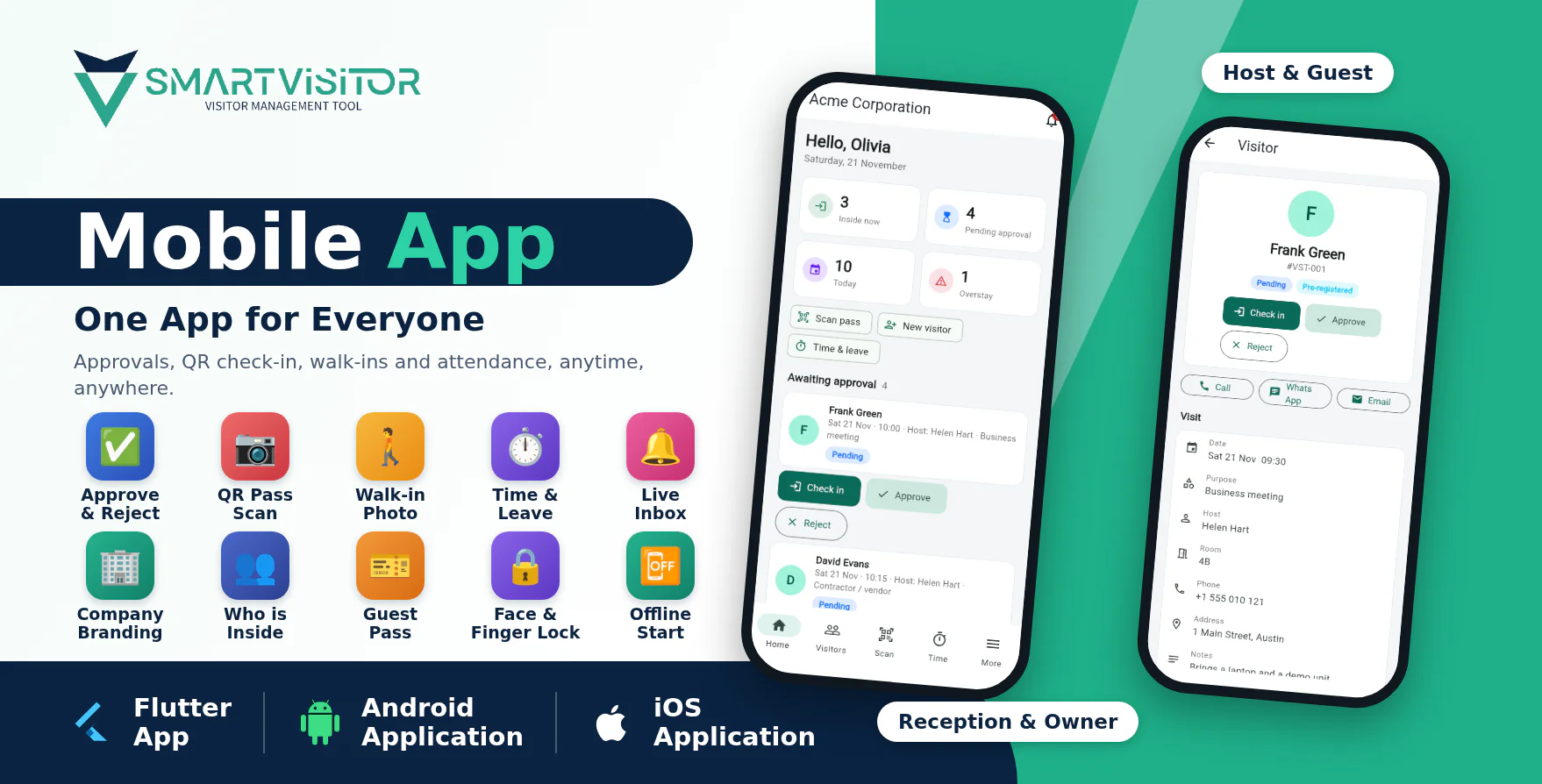
Smart Visitor Mobile App is a modern Android and iOS application designed as the companion app for the Smart Visitor SaaS - Visitor Management System. One app serves every role: owners, managers, receptionists, security, hosts and staff, and visitors without an account can open their pass with the pass code.
Reception scans QR visitor passes, checks visitors in and out and registers walk-ins with a photo. Hosts approve or reject visit requests with one tap and are told when their visitor arrives. Staff clock in and out and request leave. Owners see live numbers: who is inside, what waits for approval, today's visitors and overstays.
The application is developed using Flutter and Dart and communicates securely with the Smart Visitor SaaS website through API integration. One published build serves every company: people scan the company QR code (or type the company code) once, then sign in with their email and password, and the app shows that company's logo and colour.
Important Requirement
This mobile application requires Smart Visitor SaaS v2.0 or newer installed on an HTTPS-enabled domain. The Smart Visitor SaaS web application is required and is sold separately.
Demo Details
Admin Demo URL : Smart Visitor SaaS Web/Admin URL
Android Documentation: Open Documentation
IOS Documentation: Open Documentation
Demo Application: Download Demo Application
Company Code : 65b795ab673b4 (scan the company QR code or type this code on the first screen of the app, then sign in with any account below)
The same email and password work on the website and in the app. The menu in the app depends on the role. The Super Admin signs in on the website only.
Owner (all tabs)
Email : owner@gmail.com
Password : 123456
Manager
Email : manager@gmail.com
Password : 123456
Receptionist
Email : reception@gmail.com
Password : 123456
Security
Email : security@gmail.com
Password : 123456
Staff
Email : staff@gmail.com
Password : 123456
Host (own visitors only)
Email : host@gmail.com
Password : 123456
Guest (no account): tap "I'm a visitor: open my pass" on the first screen and enter the pass code from a visitor pass.
Why Choose Smart Visitor Mobile App?
- One app for every role: the server decides what each person sees.
- Access visitor management from anywhere.
- One app for every company: company QR code or code first, then email and password, with the company's own logo and colour.
- Opens offline with the last saved profile and data.
- Inbox with unread badge; push notifications through your own Firebase project (optional).
- Fingerprint / face lock and two-factor sign-in.
- Secure API-based communication with Smart Visitor SaaS.
- Modern and responsive Flutter-based mobile interface.
- Tested code: unit and screen tests included.
Features
Sign-in & Company
Two simple steps, the same on every phone.
- Step 1 (first time only): scan the company QR code or type the company code.
- Step 2: the company's logo, name and welcome text, then email and password.
- Two-factor code for accounts that use it.
- "Not your company? Change" to switch company.
- Guest access: open a visitor pass with the pass code, no account needed.
Home & Approvals
The day at a glance, with one-tap actions.
- Inside now, pending approval, today's visitors and overstay counters.
- Lists with Approve, Reject, Check in and Check out buttons.
- Shift clock for staff.
- Quick actions: Scan pass, New visitor, Time & leave.
Visitors
Every visitor and every visit in one place.
- Search and status filters with paging.
- Visitor details with Call, WhatsApp and Email buttons.
- QR pass, visit history, previous visits and internal notes.
- A host sees only their own visitors.
Scan, Walk-in & Roll Call
Built for the front desk.
- Camera QR scan, or type the visitor ID, pass code or link.
- Clear warning for blacklisted visitors.
- Check in and check out from the scan result.
- Walk-in registration with photo and instant check-in.
- Inside / expected lists for roll call.
Time & Leave
Attendance without paperwork.
- Clock in and out with a running timer.
- Hours this week and shift history.
- Leave requests.
- Approvers accept or reject the team's leave.
Inbox & Notifications
Never miss a change.
- In-app inbox: new visit requests, visitor arrived, overstay and leave decisions.
- Unread badge on the bell.
- Push notifications through Firebase (optional, your own project).
Guest Pass
For visitors without an account.
- Open the pass from a link or code: QR pass, status, host and time.
- Directions and a call button for reception.
- "I'm here" button that tells the host.
Company Code & Branding
- Sign in with a company QR code or company code (the invite link works too).
- The app shows the company's logo, name, colour and welcome text before sign-in.
- The owner edits the branding and prints the QR sheet under Mobile App on the website.
- The super admin controls store links, minimum version, maintenance mode and per-company access under Mobile Apps.
Technical Details
- Flutter and Dart, one code base for Android and iPhone.
- Two projects: android_app and iphone_app.
- Smart Visitor SaaS REST API (Sanctum tokens limited to the mobile app).
- Push notifications through Firebase (optional).
- Secure storage for the session; token ends after 60 idle days.
- Android 7.0 (API 24) or newer; iPhone apps need iOS 15 or newer.
- Flutter SDK required to build; iPhone builds need a Mac with Xcode.
What You Get
- Full Flutter source code of the Smart Visitor app for Android and iPhone.
- Documentation (Android and iPhone) with build, signing, store and push notification steps.
- Unit and screen tests, and store screenshots.
- Future updates.
- Support through our ticket system.
Need Assistance?
If you have any queries, please create a support ticket here, and our support team will respond as soon as possible.